How to download transaction cum holding (SOT and SOH) statement?
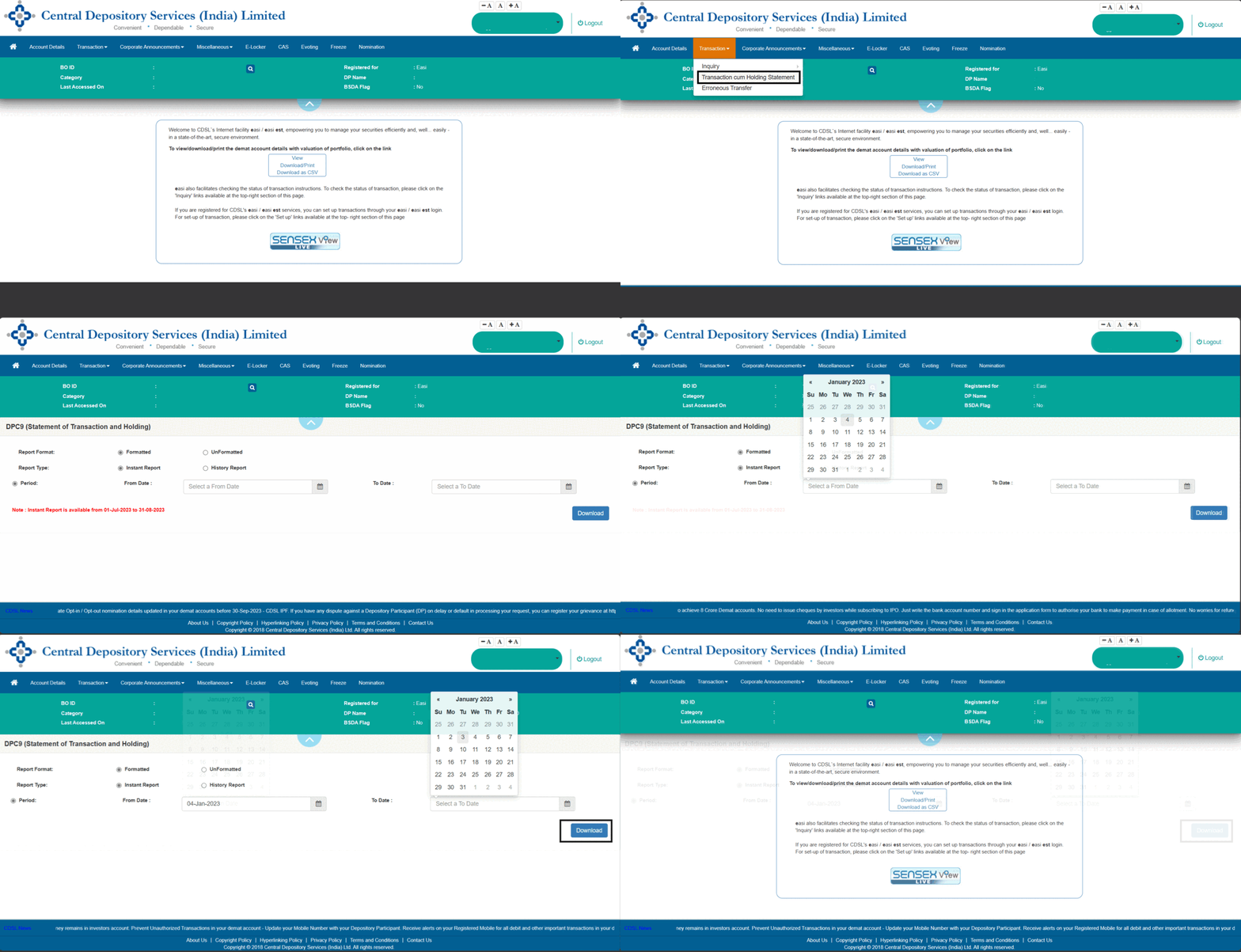
To download SOH (Statement of Holdings) & SOT (Statement of Transaction) follow the process described below:
- Click here to open Portal.
- Select transaction and click on transaction cum holding.
- Click on history report, specify date range and submit.
- Click on Download.
Note: The statement can be download only for 30 days.