How to place GTT orders?
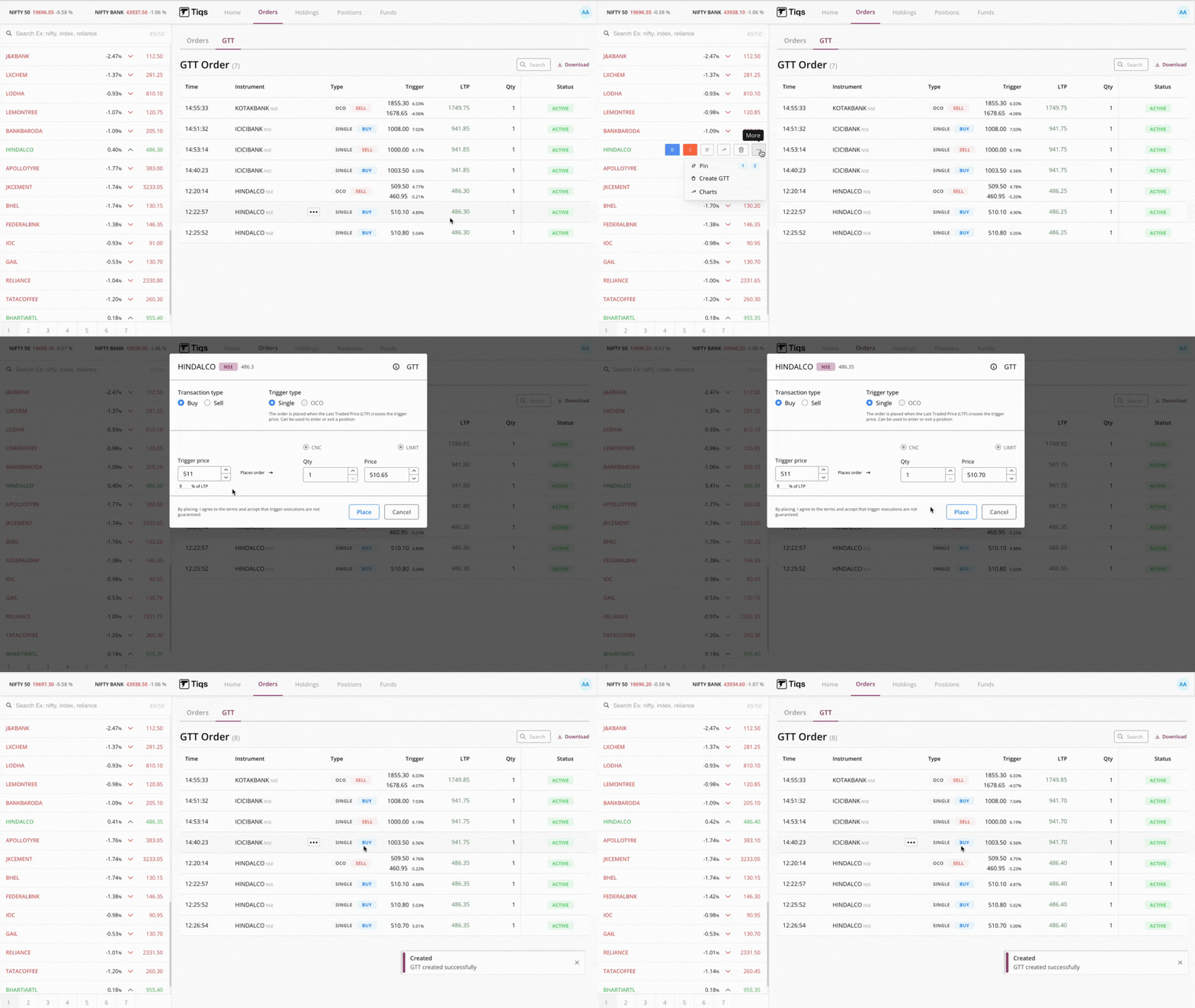
GTT Buy Order
Step 1: Log in to your Tiqs account
Step 2: Tap on the company name
Step 3: Tap on more
Step 4: click on create GTT (One dialogue box will open)
Step 5: Mention Transaction Type as you want to Buy
Step 6: Click on Trigger Type as Single
Step 7: Enter the Trigger Price, Quantity and Buying Price
(Instead of trigger price, you also can mention percentage of trigger price.
By this,trigger price will adjust accordingly)
Step 8: Click on Place
Step 9: You will get a notification as “GTT created successfully”
Step 10: You can find your created order at GTT Order tab.
GTT Sell Order Step 1: Log in to your Tiqs account
Step 2: Tap on the company name
Step 3: Tap on more
Step 4: click on create GTT (One dialogue box will open)
Step 5: Mention Transaction Type as you want to Sell
Step 6: Click on Trigger Type as Single or OCO (one cancels other)
Step 7: Enter the Trigger Price, Quantity and Selling Price
(Instead of trigger price, you also can mention percentage of trigger price.
By this,trigger price will adjust accordingly)
Step 8: Click on Place
Step 9: You will get a notification as “GTT created successfully”
Step 10: You can find your created order at GTT Order tab.
Click here to know more about GTT order